Follow the tracks.
Inspect the alert.
Bring vessel tracks, movement patterns, and alerts into a shared maritime picture. Inspect the context behind a selected alert.
Read the movement.
Review the context.
The maritime workspace connects the map with a filtered alert list and selected alert details. The supplied product view shows a Caribbean Sea demo fixture with vessel tracks and an AIS silence alert.
The product image could not be loaded.
Open original product view ↗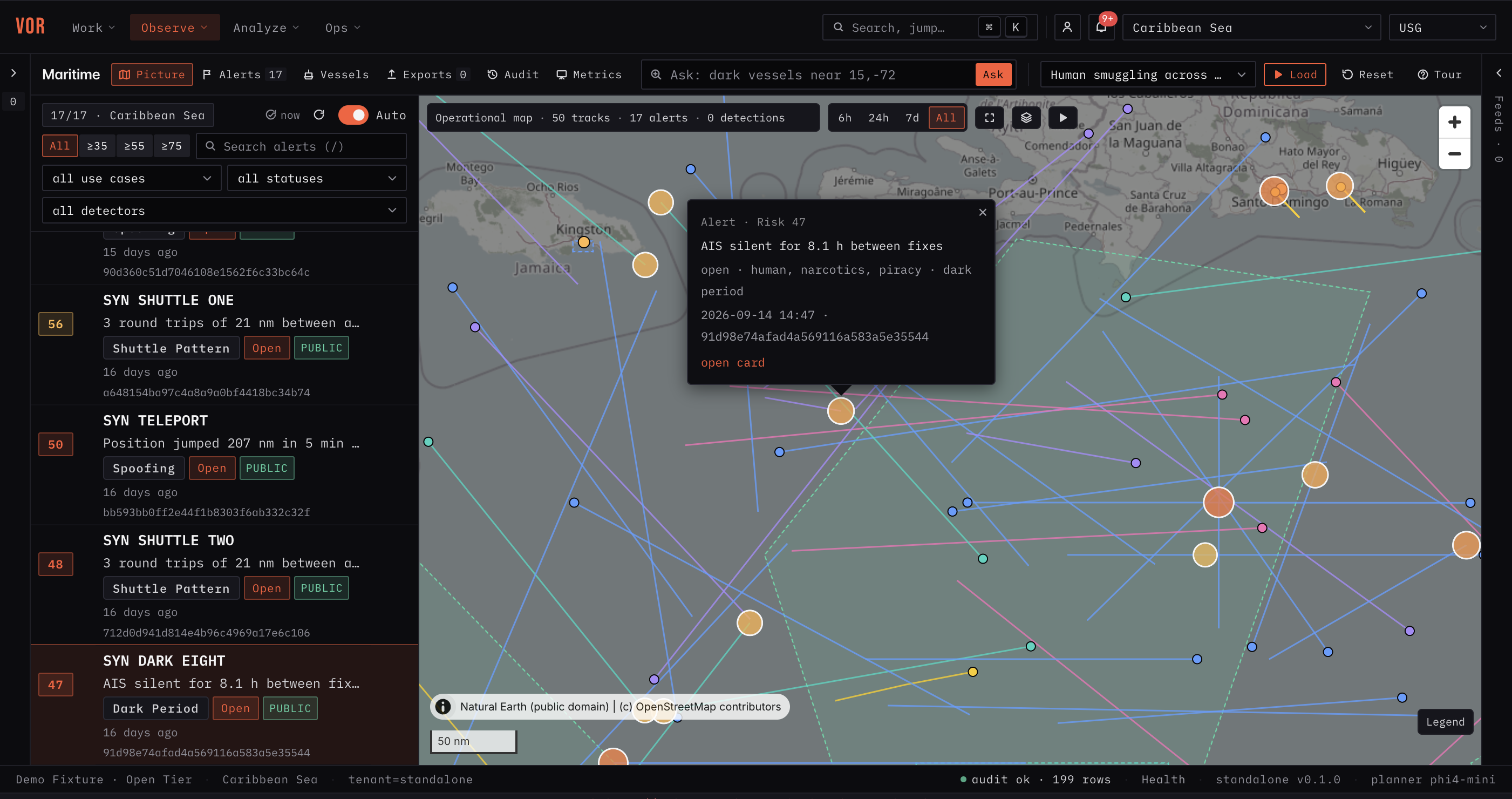
Keep the work in context.
Vessel tracks
Inspect vessel movements in the operational map.
Alert filtering
Narrow the alert list by use case, status, detector, and risk threshold.
Movement patterns
Review alerts for AIS silence, shuttle patterns, and position jumps.
Alert context
Read the selected alert alongside the surrounding maritime picture.
Product view shows demo fixture data. Mission data access, operational interfaces, permissions, and release authority are defined for each deployment. These images do not establish a customer deployment or validate every proposed integration.
See the application.
Explore your workflow.
Bring us a workflow. We’ll show you how the data, agents, and decisions connect.